Configure OVOC Server with NAT IP per Tenant
This option can be configured when OVOC is deployed behind a different NAT to customer tenants. It allows the configuration of an applicative level NAT interface for each tenant domain; Devices’ incoming communication like SNMP traps, license reports and file upload/download will communicate via the tenants’ NAT interface.
|
➢
|
To configure NAT IP addresses per tenant: |
|
1.
|
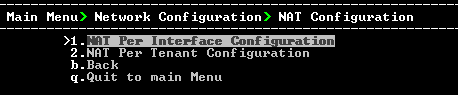
From the Network Configuration menu, choose NAT, and then press Enter. |
NAT Configuration per Tenant
|
2.
|
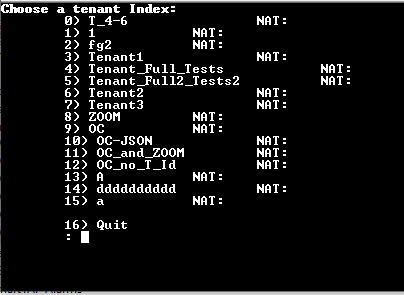
Choose option NAT Per Tenant Configuration. |
|
3.
|
Enter the number corresponding to the tenant that you wish to configure. |
NAT IP Address

|
4.
|
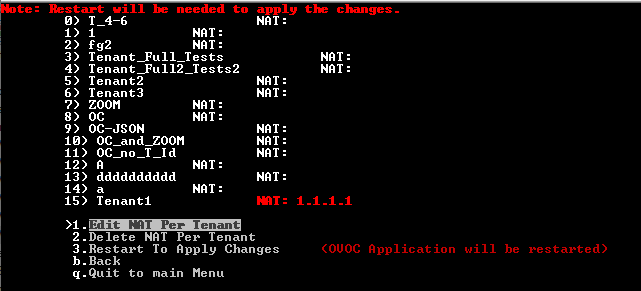
Enter the NAT IP address of the Tenant. Restart is required to apply changes. |
Configure WAN
|
➢
|
to change the NAT IP address: |
|
➢
|
to delete the NAT IP address: |